
From AI draft to signed-off record
Generate commissioning checksheets and inspection test records (ITRs) in minutes with AI, fill them on site, get them approved and signed digitally, and share the signed PDF with your client — all in one place. 15 engineering disciplines covered.
Free to try · Professional £29/month · Enterprise £99/month
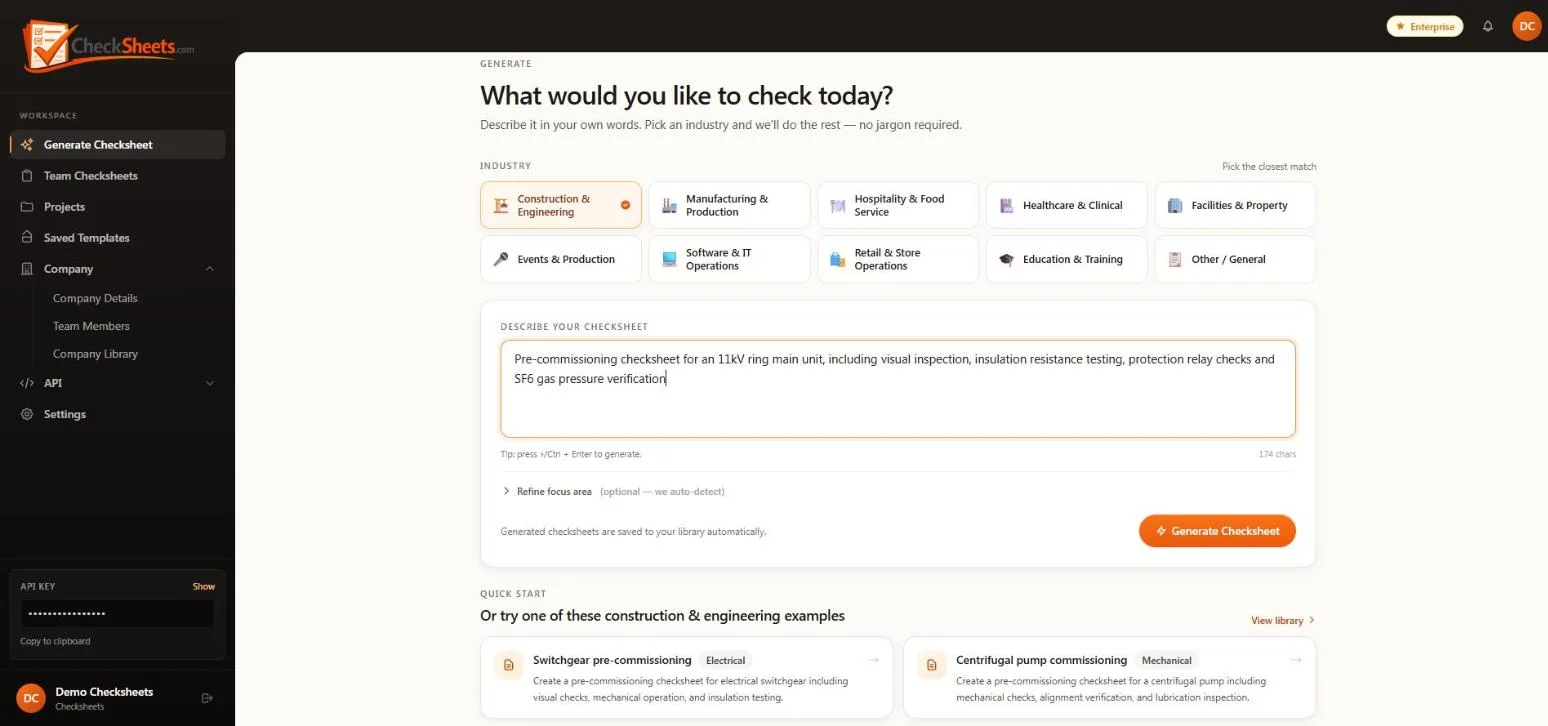
Generate
Describe the activity — a discipline-specific checksheet streams in within minutes.
Fill on site
Pass / Fail / N/A, notes and photo evidence, from a phone.
Approve & sign
Email approval links with drawn or typed signatures.
Share
A read-only, revocable link — or one combined PDF pack per project.
Minutes
From prompt to checksheet
15
Engineering disciplines
10
Industries
50+ hrs
Saved per 70-sheet project
AI checksheet & ITR generation
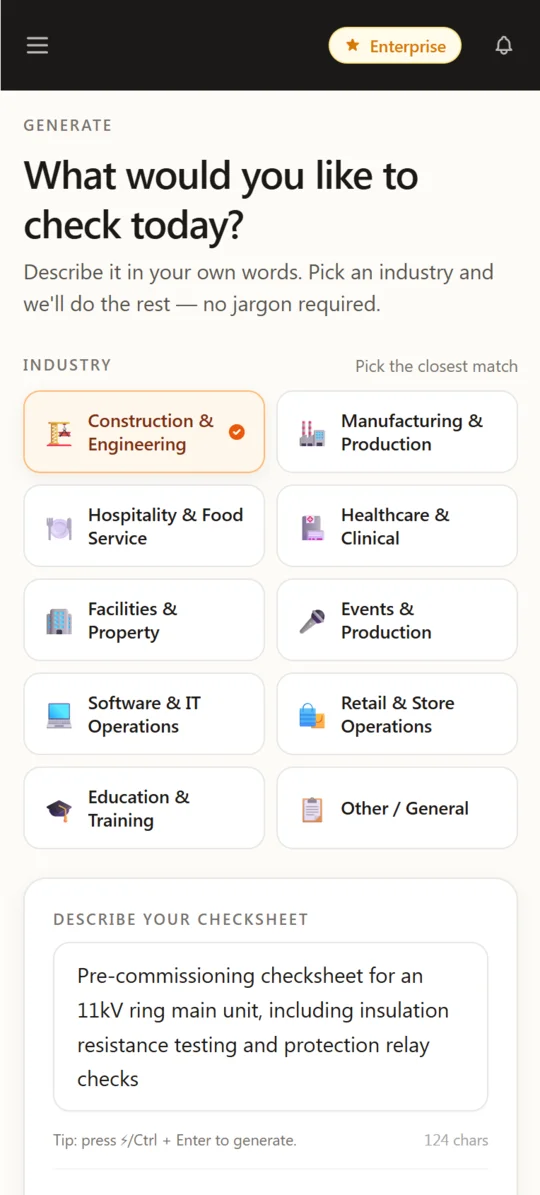
Describe the activity in a sentence and watch a complete, structured checksheet stream onto the screen — grounded in real commissioning practice.
Prompt to checksheet, live
The checksheet streams in section by section, and every result is saved to your library automatically.
Grounded in real checksheets
Retrieval over a library of thousands of real commissioning checksheets and ITRs across 15 disciplines.
Industry & focus-area picker
10 industries and 53 focus areas, with one-click example prompts to get started.
Structured, not just text
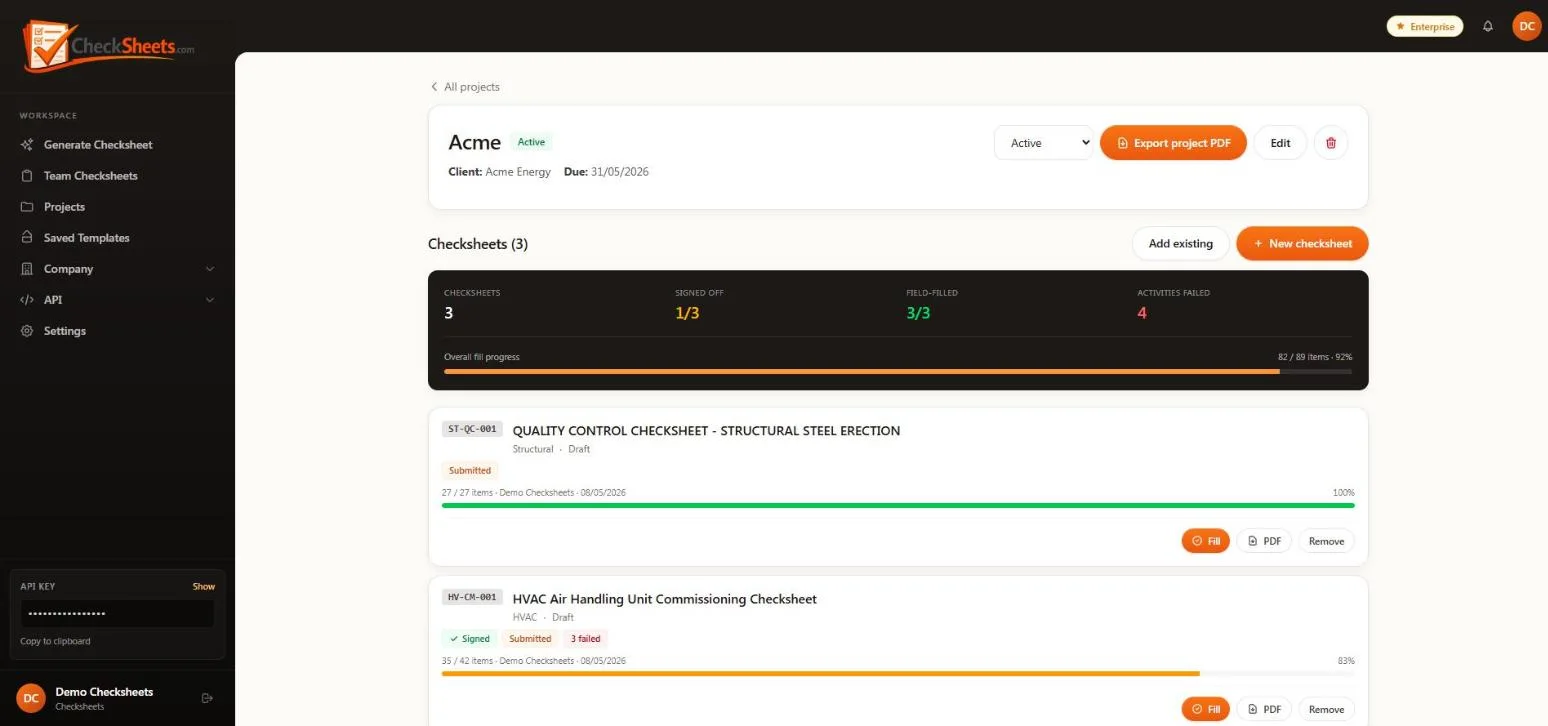
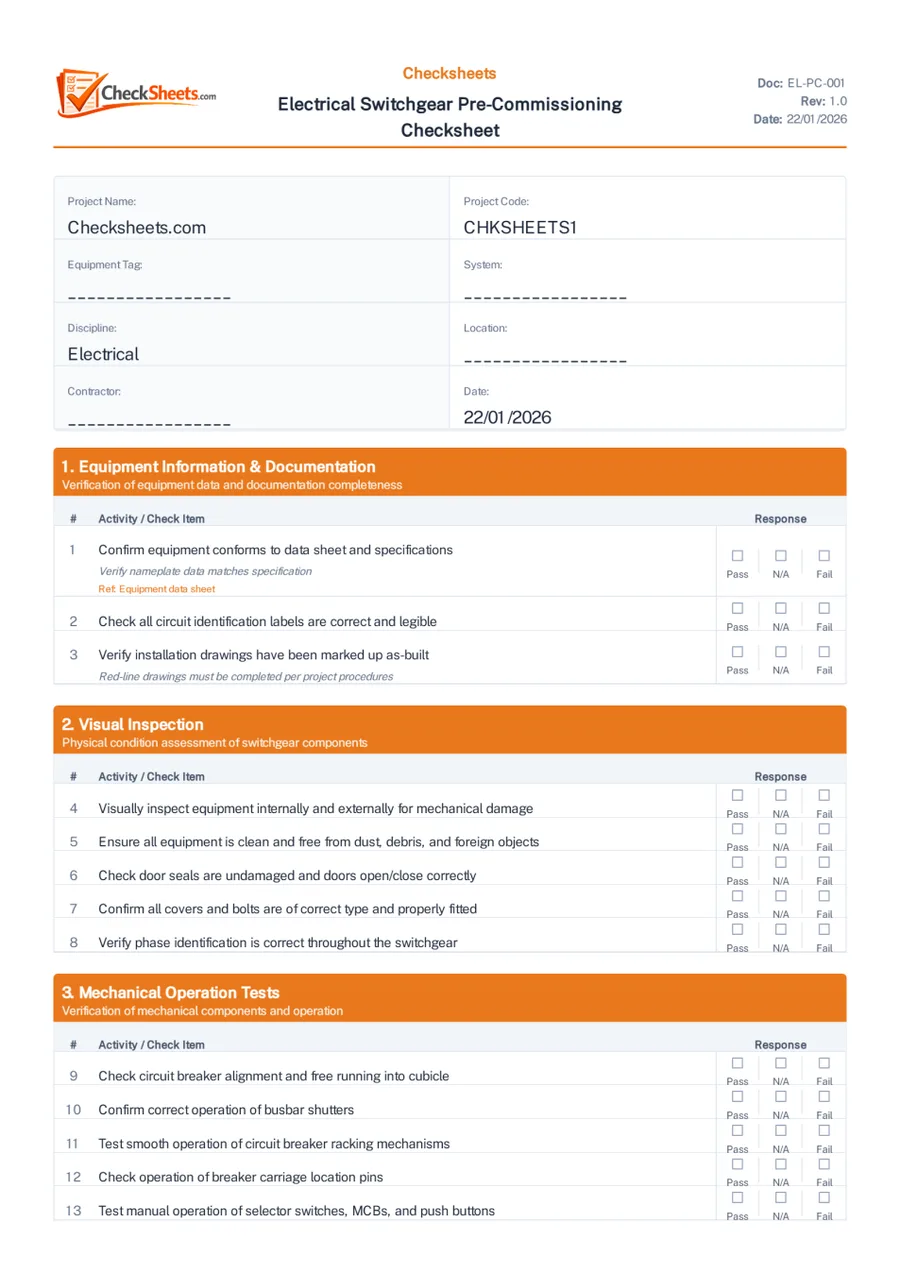
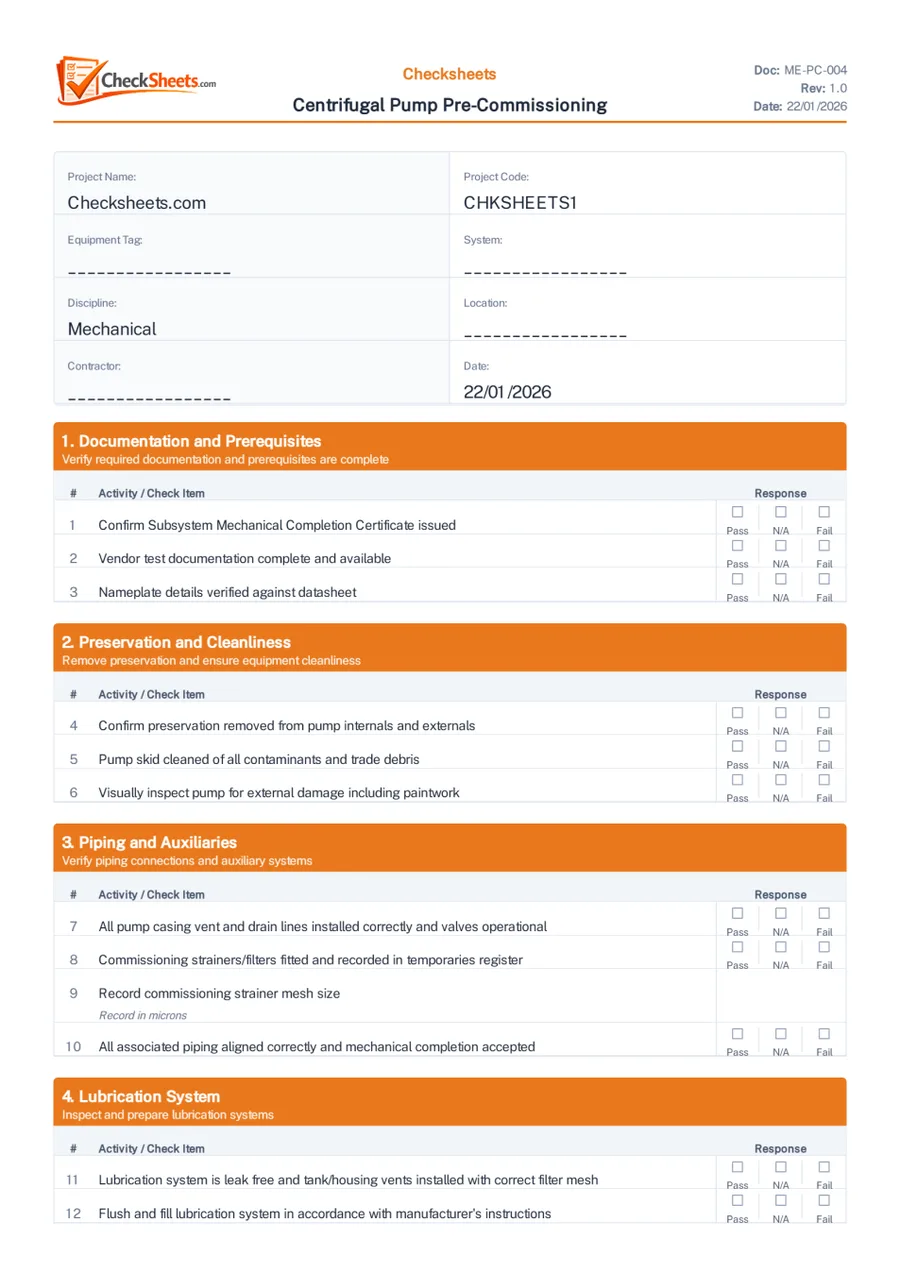
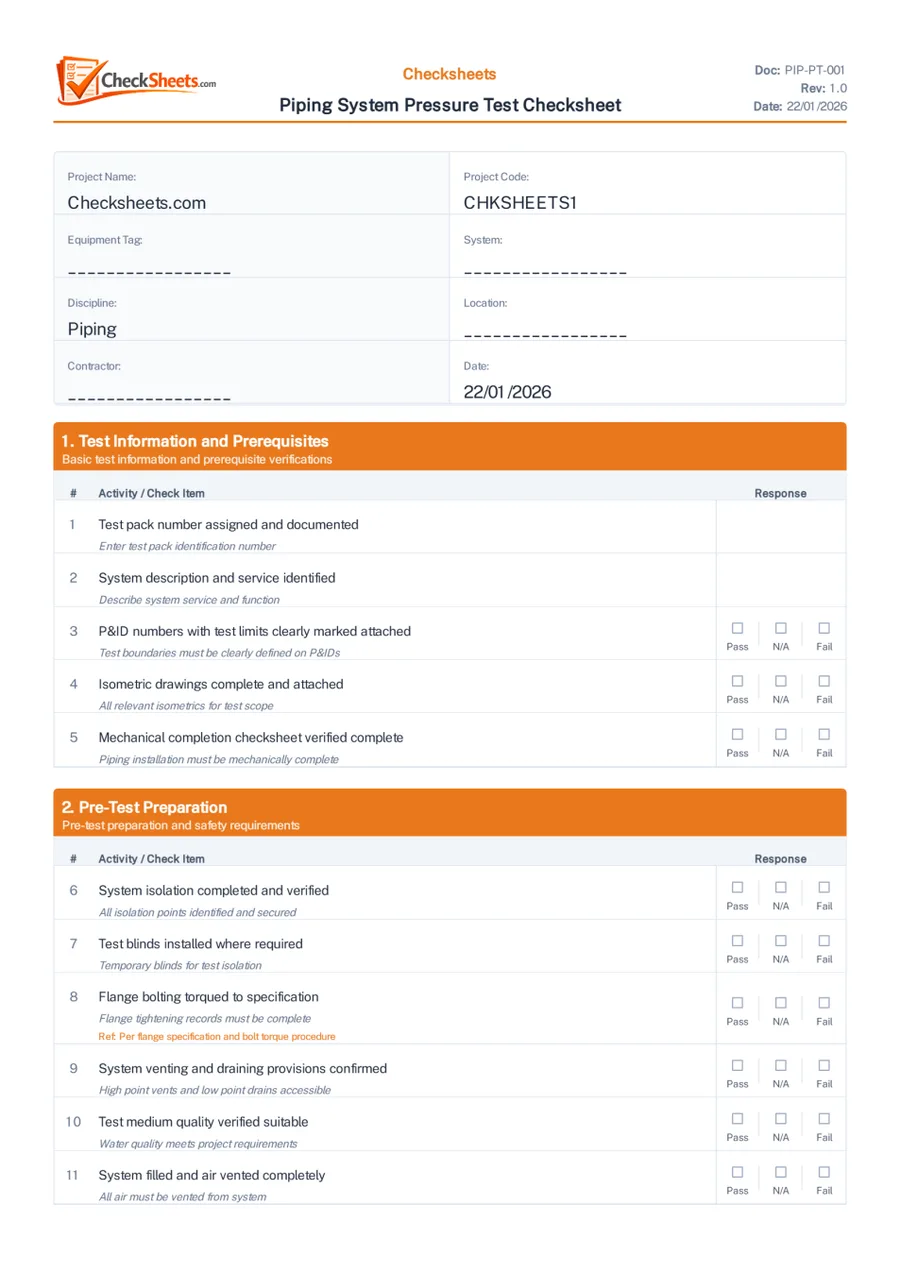
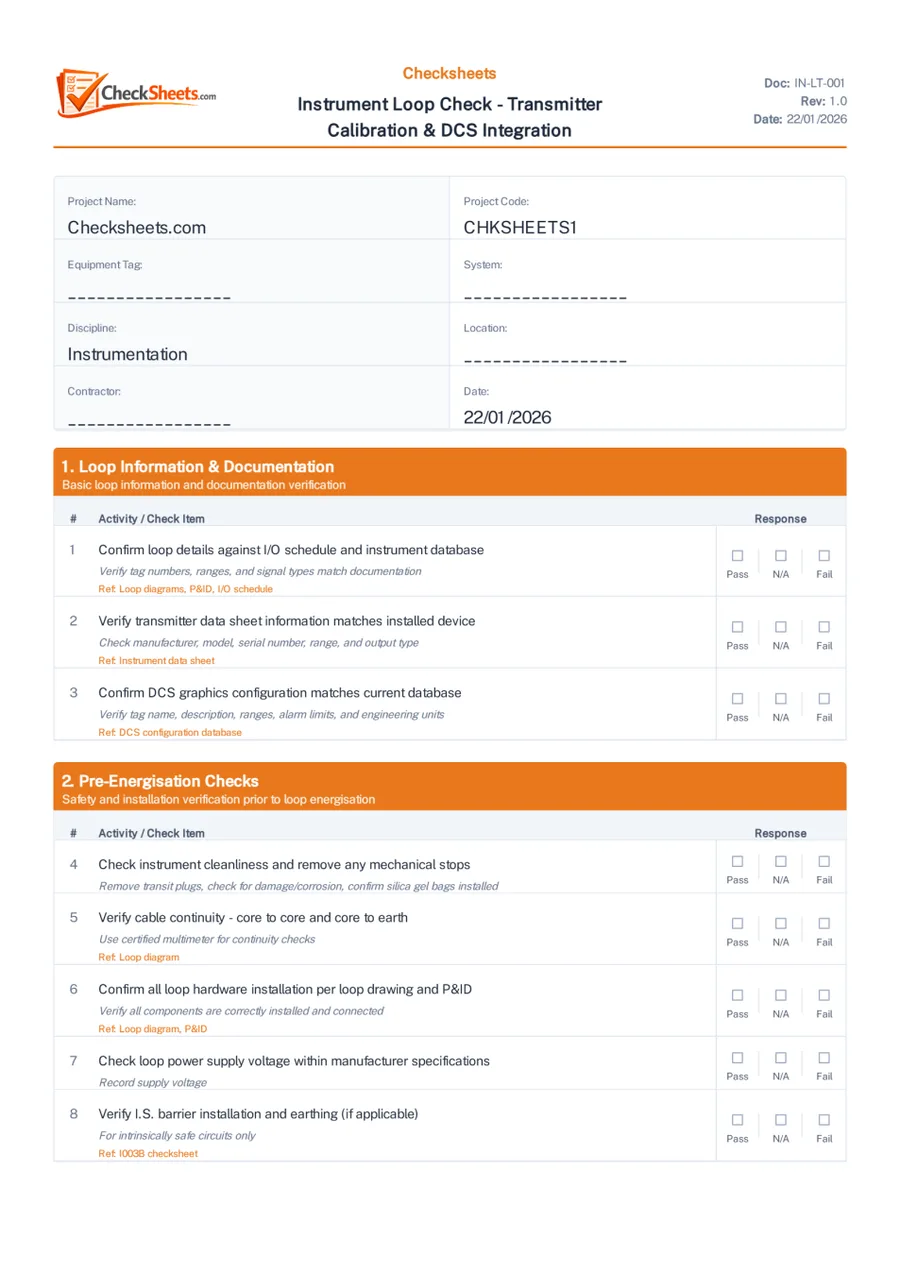
Sections and activities with document codes (e.g. EL-PC-001), acceptance-criteria notes and standards references per item.
Nine response types
Pass / N/A / Fail, yes / no, checkbox, text, number, date, signature, dropdown and multi-select.
Run several at once
Start multiple generations in parallel and stop any of them at any time.
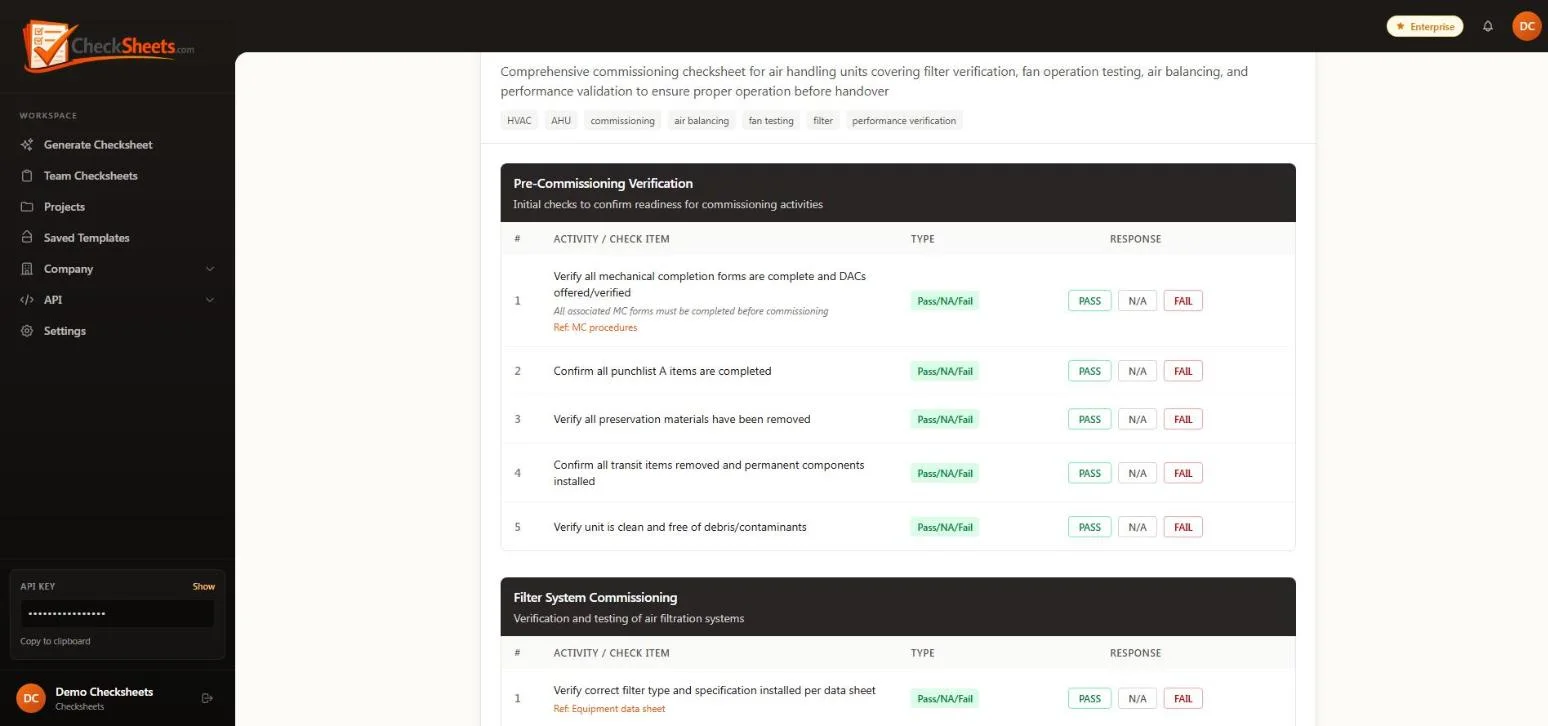
Library, editor & revisions
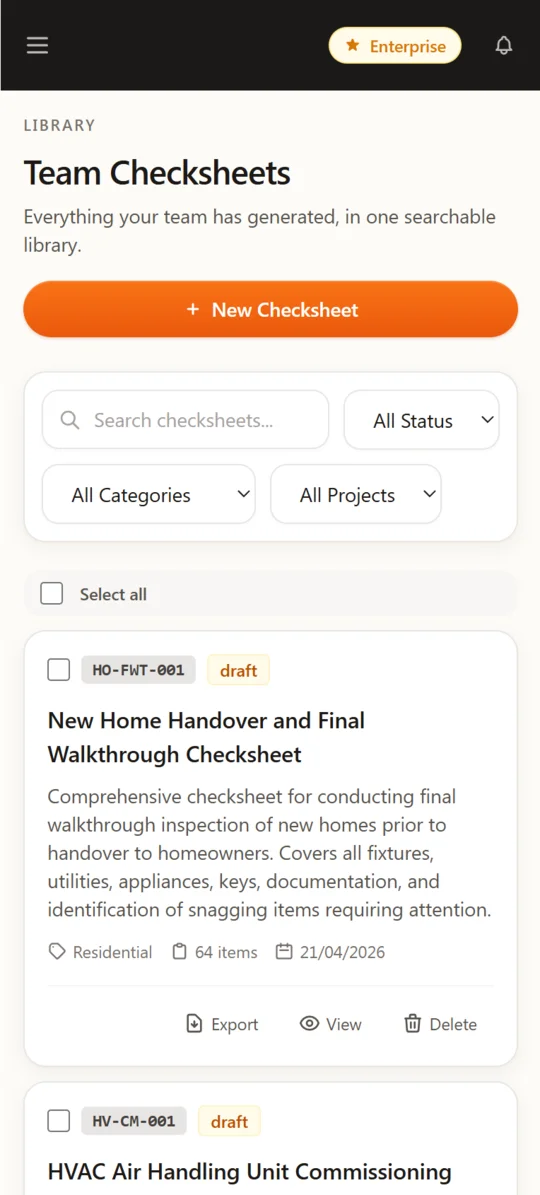
Every checksheet you generate lands in a searchable library, ready to refine, reuse and control.
Full checksheet editor
Add, remove and reorder sections and activities, change response types and options.
Commissioning metadata
Tag number, system and subsystem, test pack, location, project and a list of reference documents.
Named revisions
Save revisions with notes and view any earlier version of a checksheet.
Reusable templates
Save any checksheet as a template and create new ones from it in a click.
Search & bulk actions
Search and filter by project, then bulk-export, move or delete.
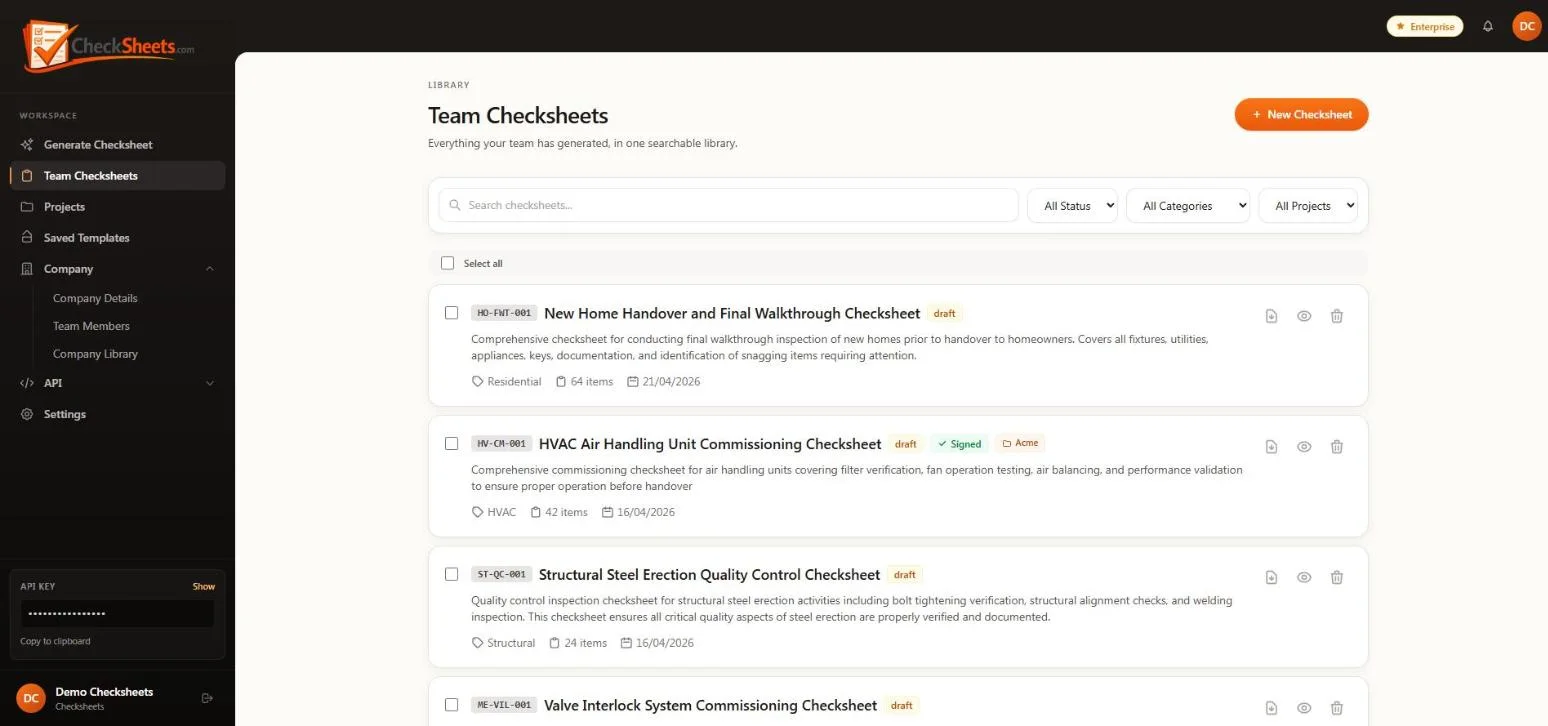
Projects
Organise checksheets by job and see progress at a glance — then hand the whole project over as one document.
Projects with status
Client, location, start and due dates, colour, and planning / active / on hold / completed / archived status.
Progress tracking
Fill progress and pass / fail counts for every checksheet in the project.
One-click project PDF pack
Export every checksheet in a project — with field results, photos and signatures — as one combined PDF.
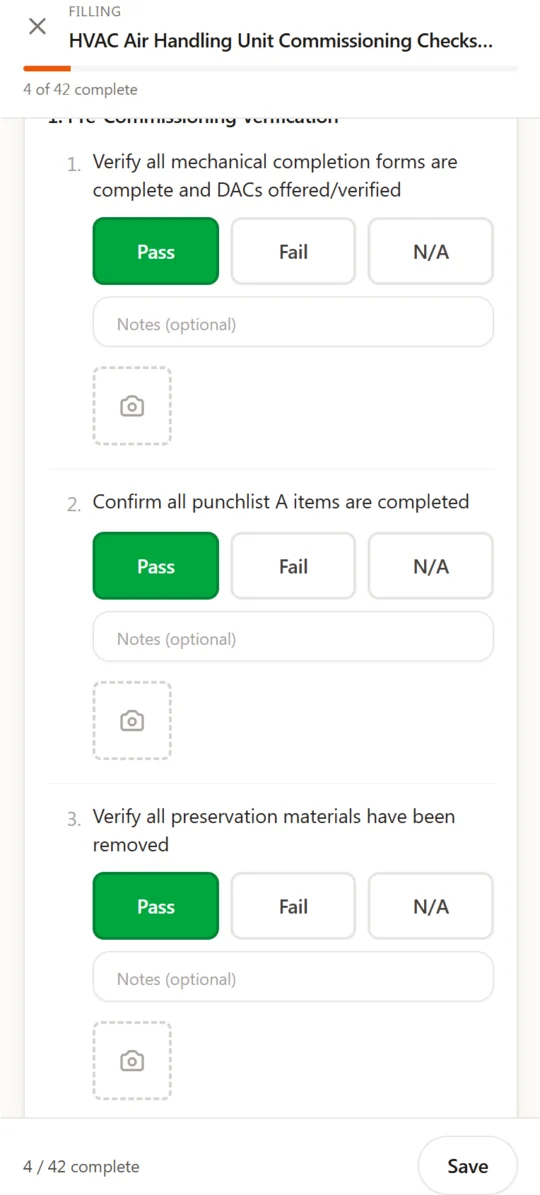
Field completion on mobile
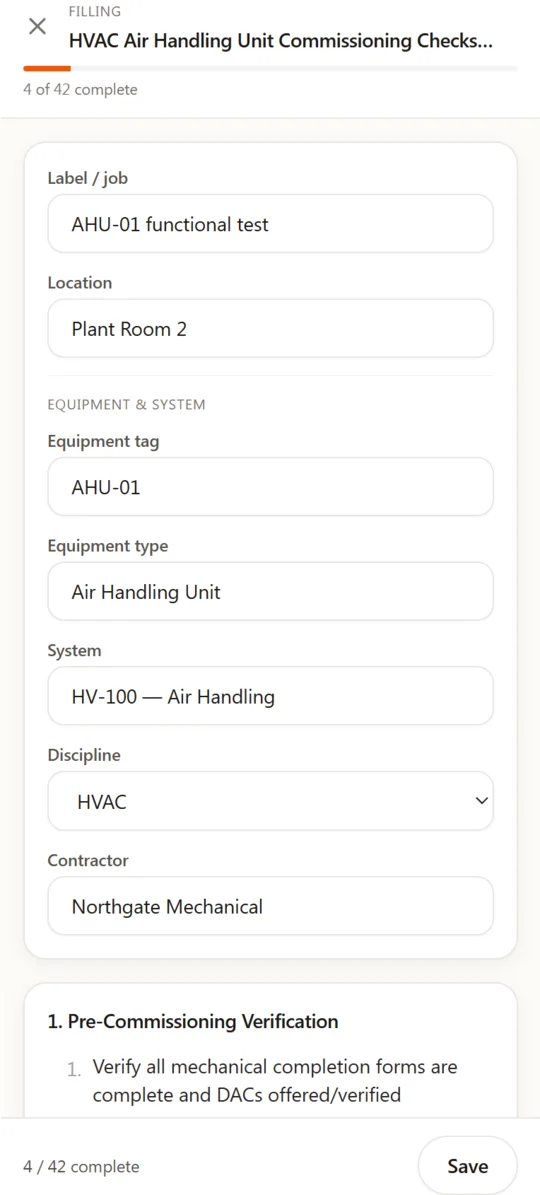
A fill screen built for gloves and bright sunlight — big buttons, photo evidence and a signature to finish.
Pass / Fail / N/A in one tap
Large response buttons with notes on every item.
Photo evidence
Take photos with the phone camera and attach them to individual check items.
Record header
Tag, equipment type, system, discipline, contractor and location captured with every response.
Keeps working without signal
Responses are saved on the device and synced automatically when the connection returns.
Submit with signature
The inspector signs to submit; every submitted response is kept against the checksheet.
Android app
Available on Google Play, or use any mobile browser.
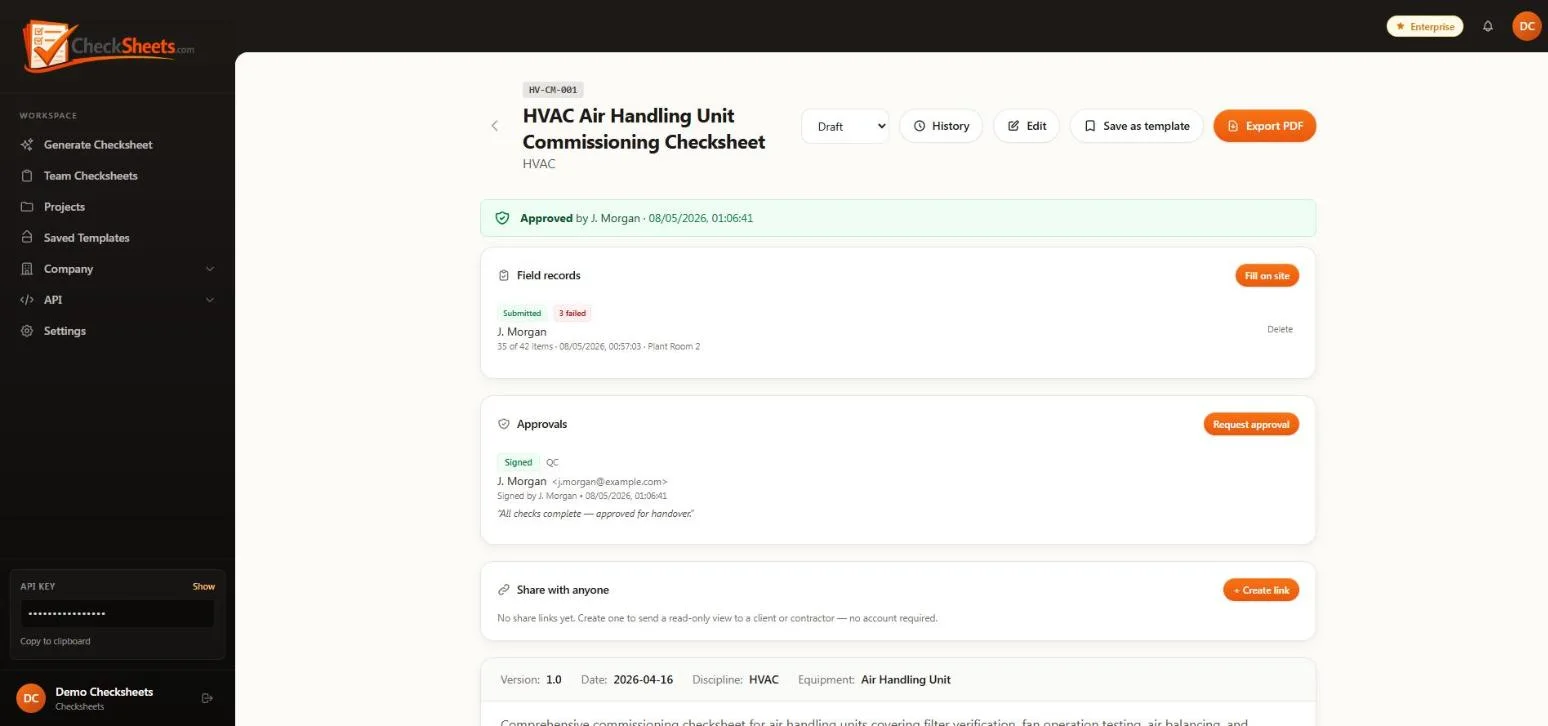
Approvals & digital sign-off
Send a checksheet for approval by email. Approvers review, sign and approve or reject — no account needed.
Email approval requests
Secure, expiring approval links with pending, approved, rejected, cancelled and expired status.
Drawn or typed signatures
Sign on screen or type a name; save your signature to your profile for reuse.
Audit evidence
Approver name, notes, IP address, device and open / sign times recorded with every decision.
Signatures in the PDF
Signed approvals are rendered into the exported record.
Sharing & notifications
Give clients read-only access to signed records, and know when they have looked.
Public share links
Read-only links with a label and expiry, revocable at any time — no login needed to view.
Open tracking
See how many times a link has been opened and when it was last viewed.
In-app notifications
Alerts for approval requests, approvals, rejections and share links being opened.
Branded PDF & Excel export
Client-ready records with your logo, colours and approval block — in PDF or Excel.
Branding templates
Logo size and position, company name, document number, revision, date, page numbers, colours and fonts.
Configurable approval block
Choose the sign-off roles that appear on every exported checksheet.
Complete records
Commissioning details, reference documents, field results, photos and signatures in one PDF.
Excel export
Branded .xlsx export on paid plans.
Teams & company knowledge base
For firms running multiple jobs in parallel — a shared library, team roles and AI that writes in your company’s style.
Company workspace
Company details and logo, and a shared team checksheet library.
Roles & invitations
Owner, admin and member roles with email invitations — up to six team members.
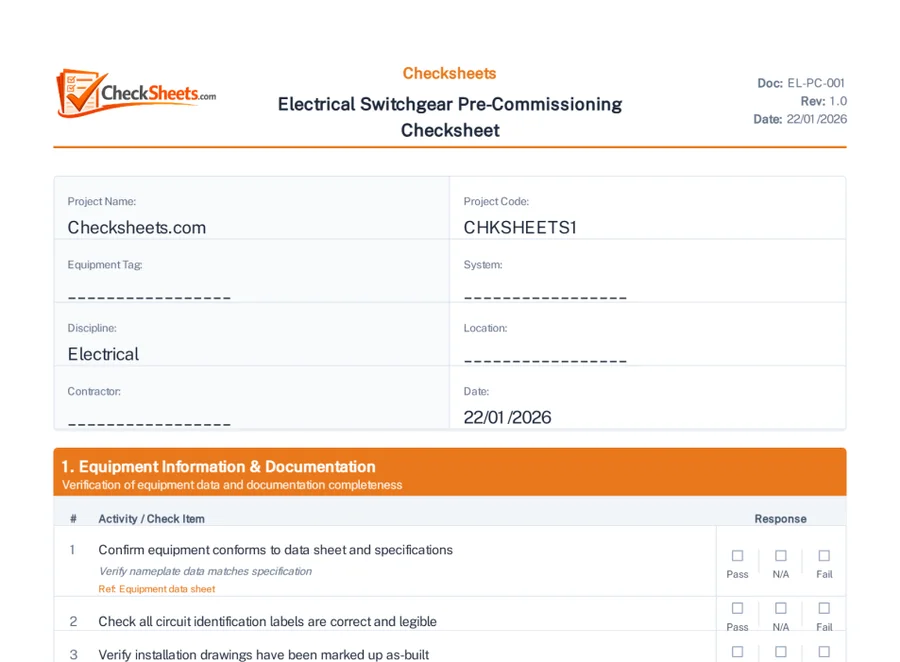
Company knowledge base
Upload your past checksheets (Word, PDF or Excel) so new ones match your house style — use your library, the built-in library, or both.
Secure sign-in
Google sign-in and optional two-factor authentication.
REST API
Generate and manage checksheets programmatically with an API key.
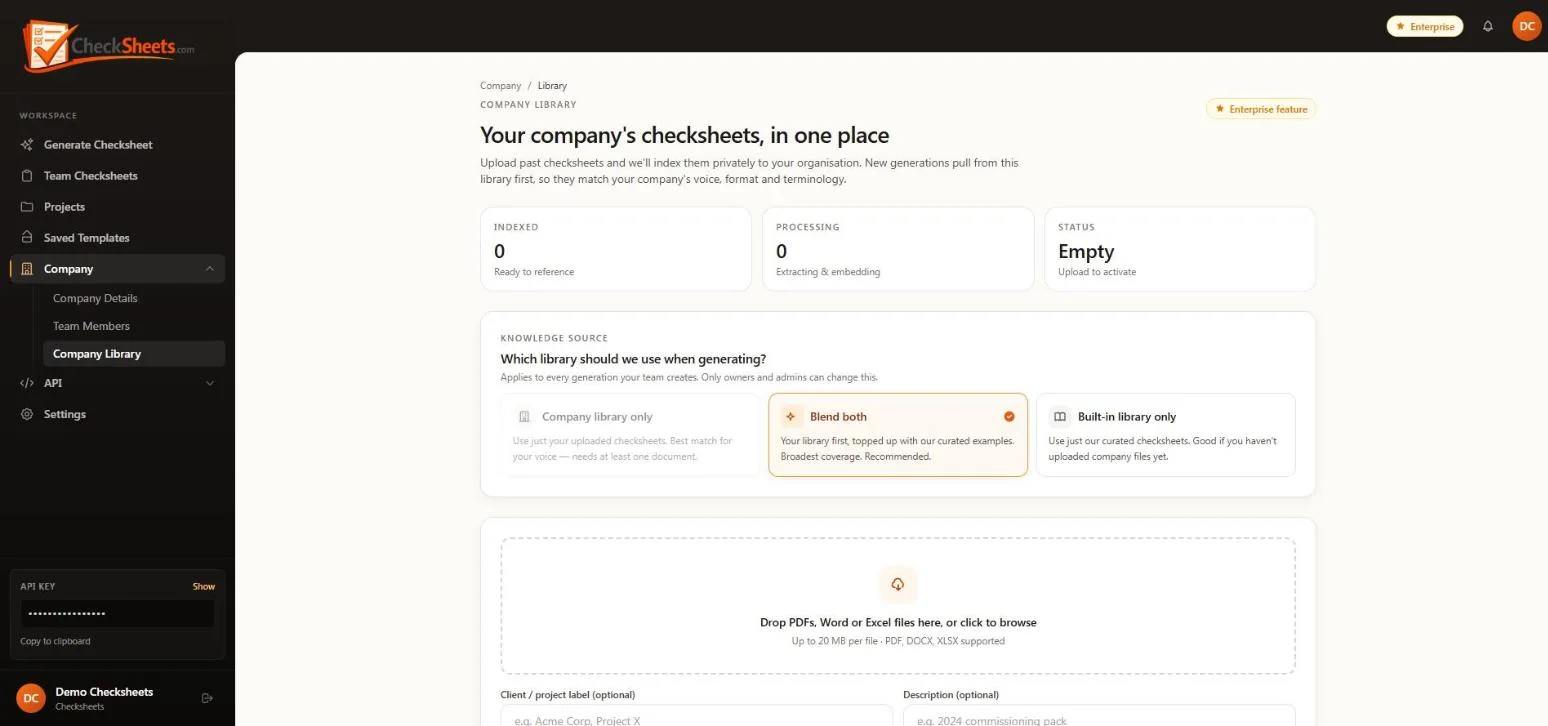
What a generated checksheet looks like
Exported straight from Checksheets — document control header, commissioning details, numbered activities with acceptance notes, and Pass / N/A / Fail responses ready for the field.
Built for the field
Generate, fill and sign from the Android app or any mobile browser — and keep going if the signal drops.
Coverage across every trade
Checklists for nine more industries
50+ hrs
saved on a typical 70-checksheet project
Manual checksheet creation typically takes 30–60 minutes each. Checksheets turns that into a short generation step — freeing your engineers to focus on the work, not the paperwork.
Try it free. Upgrade when it’s working.
Free
£0
Three AI generations to try the generator — no card required.
Professional
£29 / month
Unlimited generation, a branding template, and branded PDF & Excel export. £24/month billed annually.
Enterprise
£99 / month
Team workspace for up to six, unlimited branding templates and a company knowledge base. £79/month billed annually.
US and EU pricing available. See full pricing
Frequently asked questions
How long does it take to create a checksheet?
Minutes. Describe the activity in plain English and Checksheets streams a structured, discipline-specific checksheet or ITR onto the screen, saved straight to your library for you to refine.
Which disciplines are covered?
Fifteen: architectural, civil, drilling, electrical, fire & gas, fire & safety, HVAC, instrumentation, insulation, mechanical, painting, piping, structural, telecom and quality. Beyond construction, it also covers nine other industries including manufacturing, facilities, healthcare and hospitality.
Can inspectors fill checksheets on site?
Yes. The mobile fill screen has large Pass / Fail / N/A buttons, notes and photo capture per item, and a signature to submit. If signal drops mid-inspection, responses are saved on the device and synced when the connection returns.
How do approvals work?
Send a checksheet for approval by email. The approver opens a secure link, reviews the checksheet and field record, and approves or rejects it with their signature — no account needed. Every decision is recorded with name, time and device details.
Can clients view signed records without an account?
Yes. Share a read-only, revocable link with an optional expiry. You can see when it has been opened.
Can the AI use our own checksheets?
On the Enterprise plan you can upload your past checksheets as a company knowledge base, and choose whether generation uses your library, the built-in library, or both.
How much does it cost?
Start free with three generations. Professional is £29/month (£24/month billed annually) for unlimited generation, and Enterprise is £99/month (£79/month billed annually) for teams, unlimited branding templates and a company knowledge base.
Ready to bring your projects on-stream faster?
See how FNVi can cut project personnel spend, de-risk handover and turn your data into business intelligence. Book a walkthrough with our team.